| |||||
| HOME > Die Lines FAQ | |||||
|
Digital Die Lines Frequently Asked Questions and Answers
Frequently Asked Questions:
1. What do I get when I purchase Technique Tuesday digital die lines?
2. What file type works best for my digital die cutting machine? 3. The die lines are a different size than the matching stamp sets. What's up with that? 4. How are Technique Tuesday digital die lines different from most? 5. Do you have an angel policy for the digital die lines? 6. I still have questions. What happens next? What do I get when I purchase Technique Tuesday digital die lines? When you purchase digital die lines on our website, you will receive a zip file that includes instructions, a license agreement and the die line files. You can download the zip file either when you check out or from the email message that is sent to you within minutes of your purchase. (Add TechniqueTuesday.com to your safe senders list and check your spam filter if you don't
get the email message with the link to the digital die lines!)
Before using the die lines, you will need to uncompress the zip file onto your computer. You may want to watch the video we made that walks you through the purchase process and provides step-by-step instructions for uncompressing the zip file. What file type works best for my digital die cutting machine? When you purchase Technique Tuesday digital die lines, you will receive a zip file that includes the die lines in three file formats - .ai, .svg, .dxf. The reason we have included all three of these file formats is so the die lines will work with most of the popular digital die cutting machines. You can learn more about which file format works best with your die cutting machine in the instruction manual that came with your die cutting machine. You also may want to watch the videos we made about how to get started using Technique Tuesday digital die lines with the Silhouette Studio, Silhouette Designer Edition, and the Pazzles Inspiration Studio software.
If you own a machine that works exclusively with cartridges, you will probably not be able to use our digital die lines. Check with the company who made your machine or search online to see if there is any way to get your machine to work with digital die line files. The die lines are a different size than the matching stamp sets. What's up with that?
The software that came with your die cutting machine may be setup to automatically resize the die lines when it opens the die line file. If you find that your die lines are not the right size, check your software preferences. You can find examples of how to change the preferences in the videos we made about the Silhouette Studio and Silhouette Designer Edition software. You may also want to check the instruction manual that came with your digital die cutting machine or contact the manufacturer for additional information.
How are Technique Tuesday digital die lines different from most?
Many of our digital die line files include some extra goodies. For example, our die line files that coordinate with a stamp set include extra die lines that you can use to cut out pieces that don't have any border around the stamped image or that have a larger border that can be used to mat your stamped images. You can learn more in the instructions
file that comes with your die lines.
Do you have an angel policy for the digital die lines?
We are delighted that you are interested in selling projects made with Technique Tuesday digital die lines. If you haven't already read the license agreement that came with the digital die lines, please do so. The license agreement includes information about how you can use our digital die lines.
I still have questions. What happens next?
If you can't find the answer in the instruction manual that came with your machine, and you've watched the videos, and read the instructions that came with the die lines, send us an email message. We will do our best to channel our inner nerd and figure out how to get it all working!
You can learn more in the digital die lines section of our website. | ||||


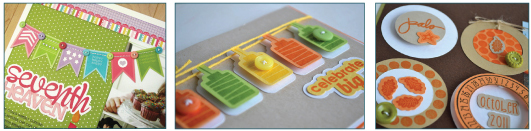 Are you thinking about purchasing Technique Tuesday digital die lines but have questions? Or have you already purchased them and need some help? Well you have come to the right place. Here are frequently asked questions about our digital die lines... and the answers (including videos) too!